Naiad, a Gemini-powered Data Storytelling AI Assistant for Google Slides
Led UX design, development and conducted user research to a develop a tool for students and young professionals to tell better data stories with the help of AI.
PROJECT DETAILS
Company
Google (Industry Sponsor)
Timeline
Aug 2025 - May 2026
Team
3 UX Designers + Researchers, Staff UXR at Google
Role
UX Design Lead, Developer & Researcher
Tools
Figma, Qualtrics, Google AI Studio, Claude, Apps Script
THE CHALLENGE
Students spend a lot of time doing their data analysis work but are exhausted by the time they need to present their story as Slides.
And building an effective story takes skill, time and effort, most of which is never taught.

As our team geared up to build our final presentations for our semester-long work, we started sighing.
Piecing together an effective story takes time and efforts. Speaking to peers, they said the following.
"I just don't know how to begin."
""The most intimidating aspect for me is that it's a lot of information to synthesize, figure out the sequence in very little visual slides, but also very little time to speak."
This became the focus of our capstone project with Google Slides whose current focus was on Gen Z students. We wondered if AI and in particular, Gemini can help students with "making a story". The following was our problem statement.
Can AI have an effect on student’s slide creation processes especially data storytelling during slide deck creation?
We manifested this through the design of a tool called Naiad, named after the water nymph symbolizing a storyflow.
It is currently designed as an Apps Script extension that can be integrated with Google Slides and uses the power of Gemini to assist students with data storytelling.
THE SOLUTION
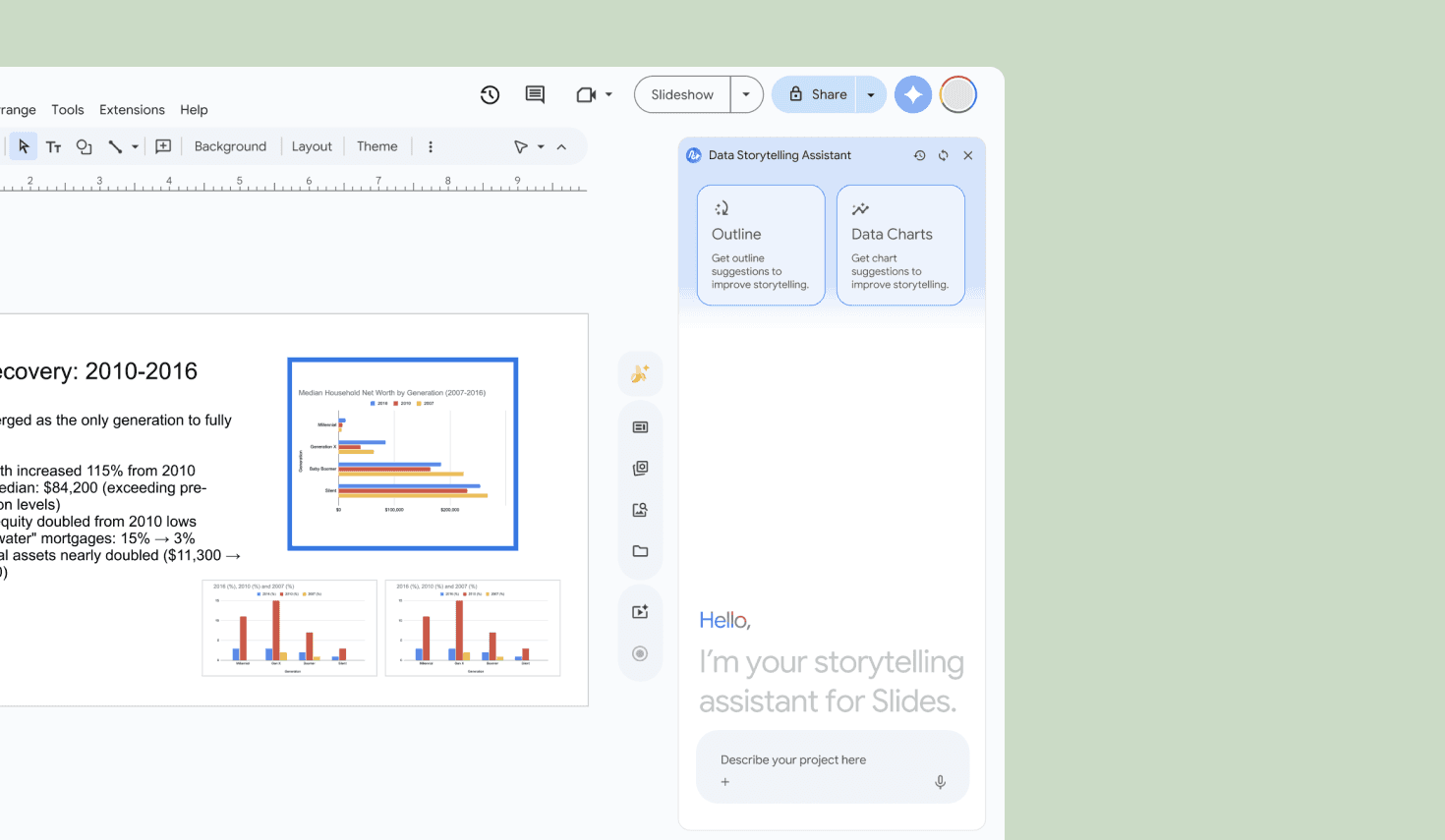
Naiad collaborates with students to help build their data stories on Slides through narrative structure and charts recommendations.
Students click on the Naiad extension to begin their journey. They simply have to upload their project brief or provide context in the chat.
Naiad gets involved in a back and forth conversation to gain enough context about building the narrative.
Naiad builds out a starting point - an outline framework that students can edit, rearrange or bulk edit the entire narrative if they changed their mind!
Once students have their content finalized, they can scan slides to get suggestions for best visualizations to represent the content on a particular slide.
THE VALUE I DELIVERED
I led the design & development of our AI tool, Naiad, that lowered cognitive load for students using Slides.
For the system

Seamless Integration Experience compared to other AI tools for Slides.
For Google

Built with focus on Gen Z users + Growth in Market for Educational Tools.
For the users

24%↓ Cognitive Load
12%↑ Creativity
THE DEEP DIVE
Here’s how I helped hatch the solution
FRAMING THE CHALLENGE
AI needs to assist students but not replace their critical thinking and decision-making because humans do it best :)
This was the most intense part of the process. Targeting the right research direction was crucial to our project as we wanted to establish the role AI played in our project.
From talking to students, teachers and even working professionals at Google to conducting intense literature reviews, we shifted our initial decision of helping students' critical thinking to providing students with an assistant leaving the critical thinking to what humans are the best at.

Therefore, our tool now lets our users be the ones taking the decisions when building out their narrative but are able to use the AI tool as a means to reach the decision. Our new research direction was as below:
Can AI have an effect on efficiency and perceived value on storytelling during slide deck creation?
But which parts of storytelling did we want to consider?
We had TIME and BUDGETARY constraints.
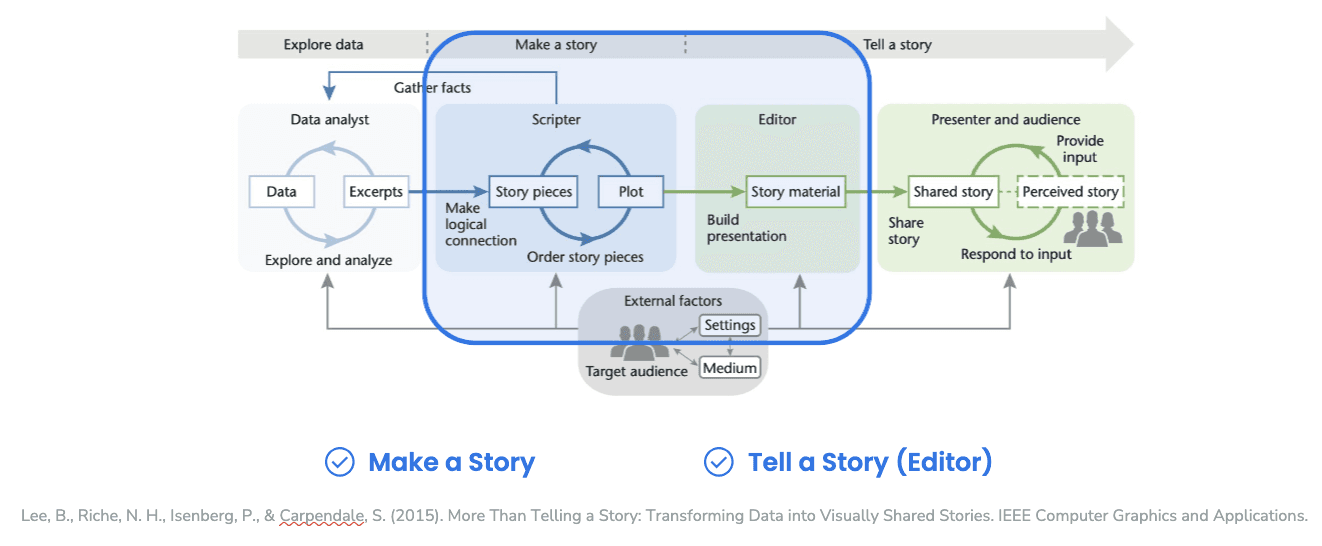
Therefore, we looked into literature again, identified a framework by Lee et. al and decided to focus on the "Making a Story" and "Telling a Story" parts of it since these are where students are our primary stakeholders and would be using Google Slides the most.
DESIGNING THE SOLUTION
Students expect AI assistants to be designed and behave like the LLMs they interact with regardless of the "new" features introduced.
Now that we knew our research direction, we wanted to dig deeper to understand a typical slide deck-creation process and identify any gaps we might be missing out on.
So we conducted Contextual Inquiries with 5 Georgia Tech students and identified a big difficulty was starting out on a blank canvas.

This allowed us to couple some of our previous literature review, conversations with SMEs to come up with the following design requirements.
Design Requirements and User Needs

This allowed us to research competitors, brainstorm ideas and gain feedback from SMEs across multiple phases. The loudest feedback we gathered was that the assistants need to have a conversational flow as both students and SMEs pointed out.


The feedback was quite crucial to lay out the AI conversational and interaction flows.
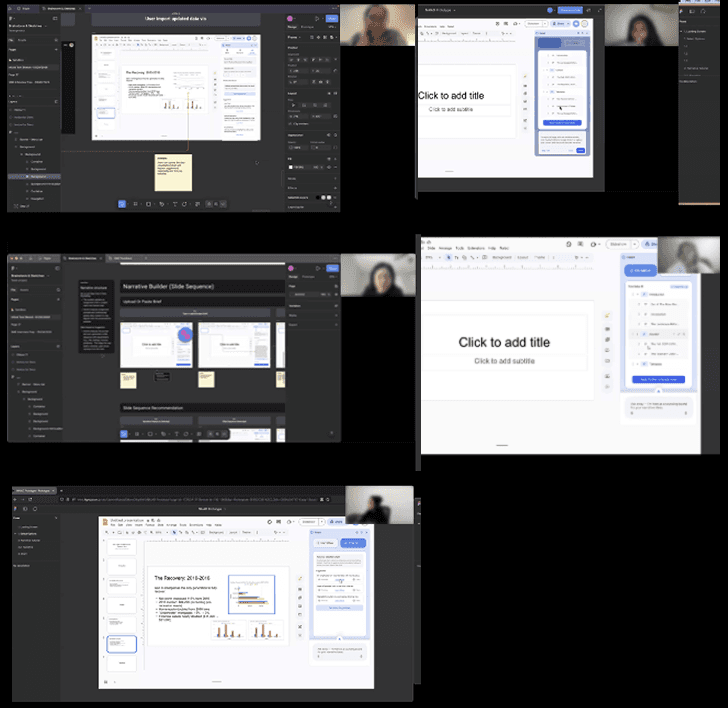

Finally, we established two features. Naiad Narratives to recommend narrative outline and Naiad Charts to recommend charts.
BRANDING AND FIRST ITERATION OF PROTOTYPE
I then defined the branding, design system and created Naiad's logo representing "flow" of a story and the water nymph.
I also created the logo for "Naiad", depicting the water nymph containing the letter "N" flowing like water (metaphorical to flow of a story) with the Gemini logo to represent the AI part of it.
We also decided to build our solution as an Apps Script extension rather than "training" Gemini as it allowed more feature flexibility.
Another important choice was to choose between building out an Apps Script extension compatible with Slides or proceed with training Gems by Gemini, our team decided to actually build it out as an extension since it can be more flexible with the features.
We then set out to design the high-fidelity wireframes and prototypes containing the updated AI and user flow.

BUILDING THE TOOL WITH AI
Being actively involved in framing the research question, I led the development of the tool using Google AI Studio and Claude.
In order to "vibe code" the tool, I suggested and strongly insisted on the need for a "Prompt" Requirements Document (like your regular Product Requirements Document). Contributing to its creation, I helped put together parts of the PRD alongside the UX Researcher on the team.
I then set out to build the tool using Google AI Studio to build an extension on Apps Script using Gemini's API.
PRD
The process
Wireframes
Google AI
Studio + Gemini
Apps Script
extension

While this was quite a process, spending some sleepless nights the result was satisfying. Sometimes, the code breaks but that is when I understood the importance of also knowing the programming language constructs yourself as the "vibe coder" to go in and make those little tweaks.
USER TESTING
Ongoing and due to research restrictions, this process cannot be detailed out here.
Naiad Narratives was a clear winner, with users taking lesser time to create data stories.
We conducted 52 user testing sessions with half of them creating a presentation with Naiad and the other without, each lasting about an hour and had some interesting findings through the System Usability Scale and NASA-TLX scales that we administered.
Task completion on average took ~5 mins lesser with Naiad.
They also reported a 24% lower cognitive effort than the control group.
Naiad users reported the creativity usefulness of Naiad 12% higher than regular Slides users.
Cognitive efforts were restructured with users acting more like editors although critical thinking was still maintained.
Qualitatively looking at it, users really liked the seamless integration of Naiad with Google Slides with some even wishing they could use it.
REFLECTION
It's easy to ideate and build out tools in this new era but we need to be intentional about a human and AI's role.
This project taught me a lot about adding constraints and molding your research into something specific and actionable. We need to take things at a time and need to consider the reality.
Check out my other work below: