AI-driven Project Management Tool
Designed wireframes, user flows for an internal AI tool and contributed to setting up of a part of the design system by taking the lead on it
PROJECT DETAILS
Company
Neudesic (now, IBM)
Tools
Figma, Azure DevOps, JIRA, openAI
Timeline
Aug 2023 - Nov 2023
Role
UX Intern
Team
Cross-functional Product & Engineering team
CHALLENGE
Neudesic was evolving its internal project management accelerator to integrate AI-driven work-item generation within Azure DevOps.
However, the platform needed:
Greater visual and structural consistency across modules
Clearer role-based access logic
A predictable framework for introducing AI automation
Scalable UI components aligned with Microsoft Fluent
The challenge wasn’t just adding AI, it was ensuring the system could support automation without sacrificing clarity, control or usability.
How might we introduce AI-driven efficiency into an enterprise tool while preserving structure, trust, and scalability?
THE VALUE I DELIVERED
Led the design of role-based AI workflows and a 20+ component system that improved clarity for users and reduced engineering effort by 40%.
For the system

Scalable, permission-aware AI workflows for long-term growth
For Neudesic
20+ component design system → 40% reduction in dev effort
For the users

AI-assisted templating + 5-role access flows for consistent, controlled work generation
THE SOLUTION
Rather than tackling one isolated feature, I contributed across three structural pillars.
Building a unified icon and component framework
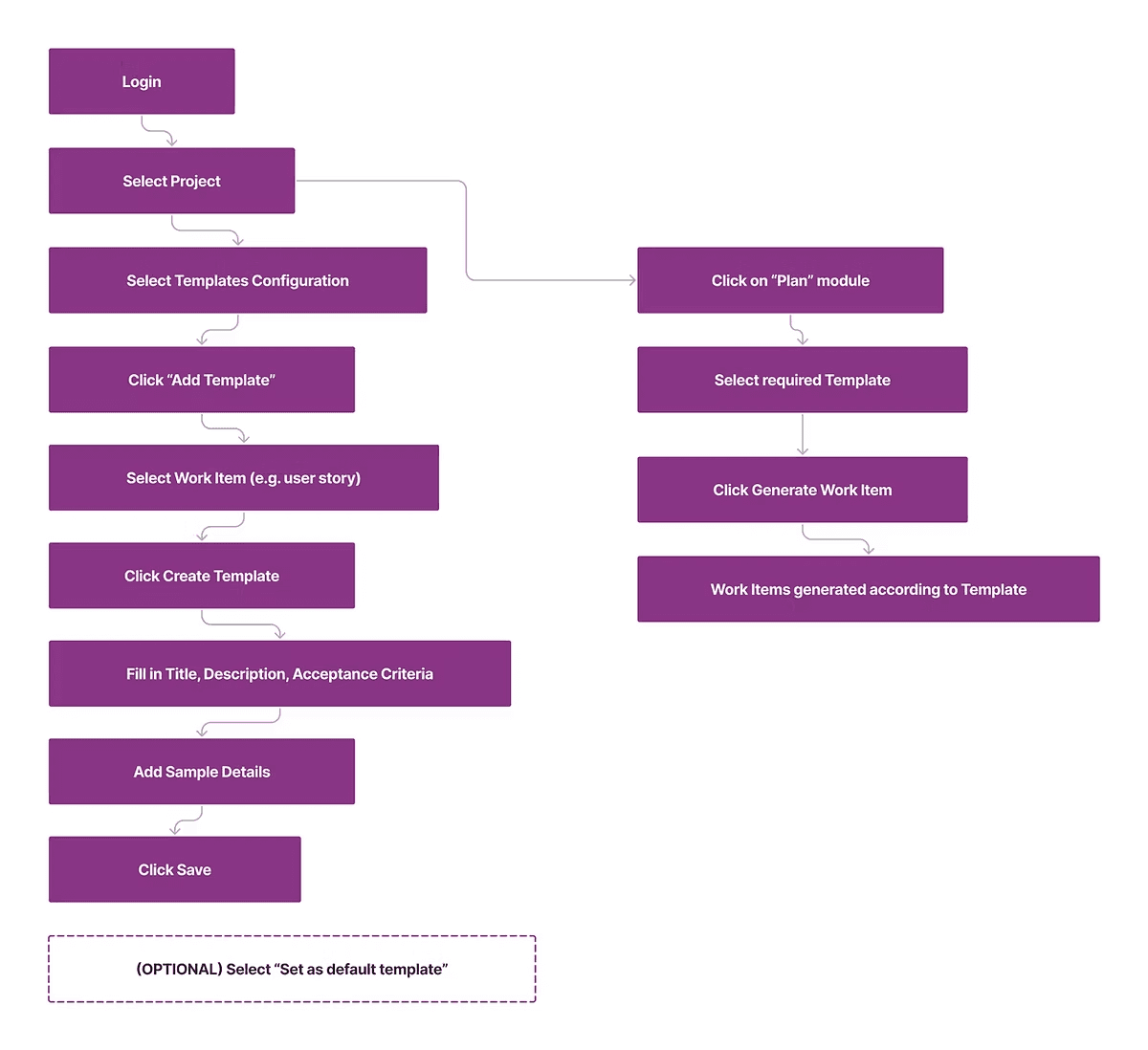
Built Hi-Fi prototypes to generate resuable templates for users to generate work items to maintain consistency
Designing structured access flows based on roles within the team
FRAMING THE CHALLENGE
I audited the product’s UI, permissions, and workflows to understand how structure needed to support AI-driven automation.
When I joined, I conducted an audit of:
Existing modules and UI inconsistencies
Duplicate icon usage
Permission-based visibility logic
Points of friction in work-item creation
What became clear was the following:
Inconsistent visual language reduced clarity
Role-based access rules created complexity in flows
AI automation required strong structural guardrails
USER RESEARCH AND DISCOVERY
Closely collaborated with product owners and engineers to ensure AI integration aligned with real DevOps workflows and user expectations.
Because this was an internal enterprise tool, research relied on:
Stakeholder interviews with product owners
Working sessions with engineers
Observational walkthroughs of DevOps workflows
Internal feedback on early AI templating concepts
The team had the two following main findings:

Permission restrictions must feel logical, not arbitrary
Developers value speed, but not at the expense of control
DESIGNING THE SOLUTION
Building Structural Consistency (Icon System + Components)
I led the creation of a unified icon library:
Standardized grid and stroke rules
Eliminated duplicates
Aligned with the tool's visual language

I also contributed to foundational Azure DevOps extension components:
Buttons
Dialogs
Dropdowns
Tables
All aligned with Microsoft Fluent to ensure ecosystem compatibility which created a predictable design baseline for future feature growth.
Designing AI-Assisted Templating for Work Items
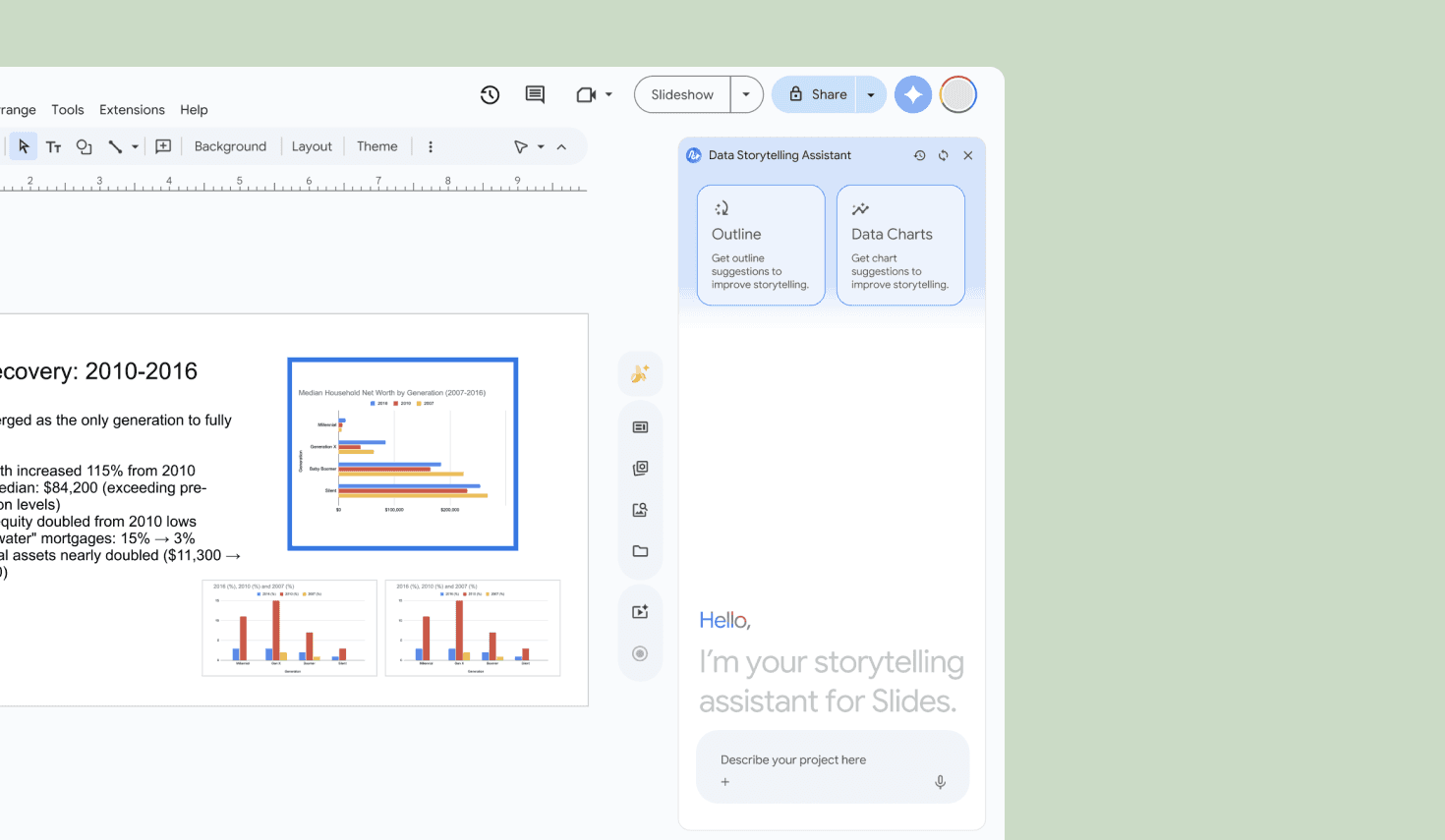
The product aimed to use OpenAI to auto-generate project work items.
The key risk: automation feeling opaque or irreversible.
My focus areas:
Clear “Review” states before final submission
Editable AI-generated fields
Transparent labeling of AI-generated content
Reversible actions (approve, modify, discard)
Rather than presenting AI as autonomous, the design positioned it as a structured assistant.
This maintained user confidence while increasing efficiency.
Structuring Role-Based Workflows
Different roles required different levels of visibility and control. Here, I:
Mapped permission-based interface states
Sketched multiple conceptual access models
Validated flows with engineers for feasibility
The final solution balanced the following:
Administrative oversight
Developer efficiency
Reduced unnecessary UI exposure
REFLECTION
This project taught me that introducing AI into enterprise systems is less about innovation and more about discipline.
AI requires strong design systems
Automation demands explainability
Role clarity reduces cognitive overload
Consistency builds trust
Another great learning I had here was how to use Figma well enough so that it is scalable for other designers on the team as well as for developers.
Check out my other work below: